KLS 150
PROFESSIONAL CLOSED-BACK OVER-EAR HEADPHONESHear Every Detail. Trust Every Decision.
Professional closed-back over-ear headphone engineered for critical monitoring, mixing, recording, and live sound (FOH/MON)
Inside the KLS 150
-
ADJUSTABLE BASS CONTROL
Unlike traditional studio headphones with a fixed sound signature, the KLS 150 lets you tailor the low-frequency response to suit your personal preference, application, or listening environment.
-
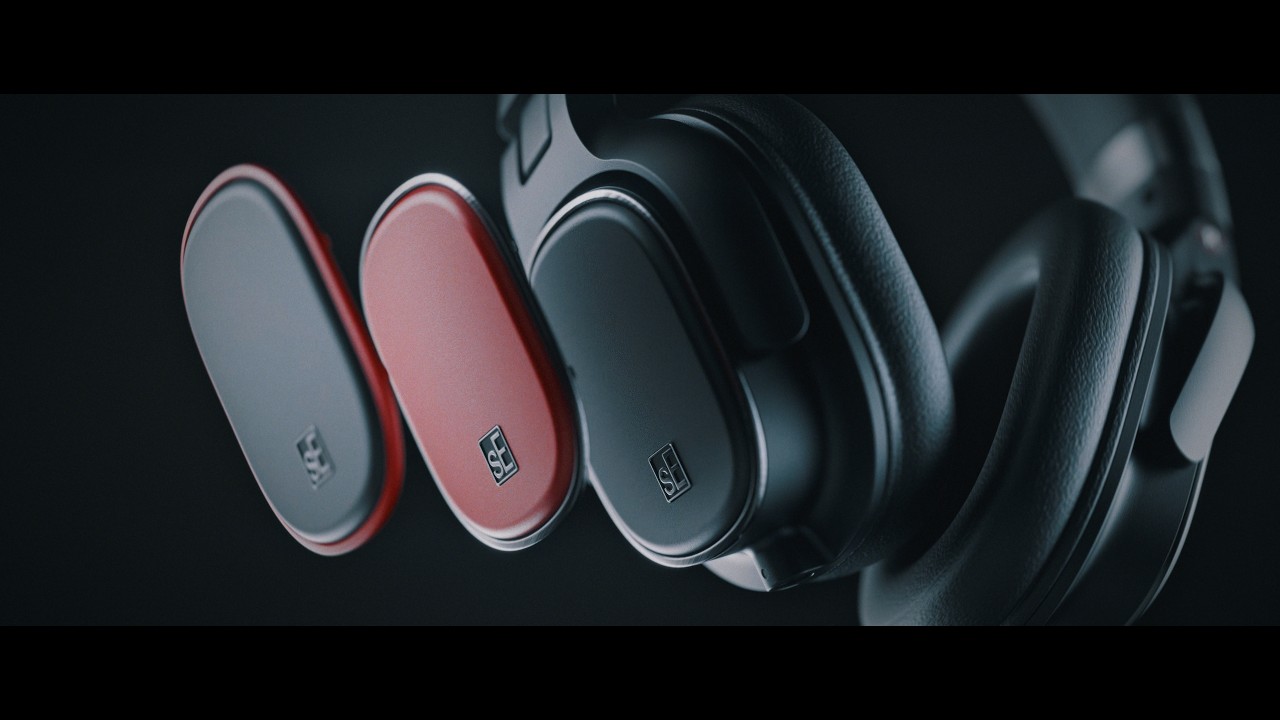
INTERCHANGEABLE EARCUP COVERS
Customize the look of your KLS 150 with optional color variants (coming soon), while protecting the Bass Control knobs from unintentional adjustment.
-
PREMIUM LEATHERETTE MEMORY FOAM
Premium memory foam adapts naturally to the shape of your head, while high-quality leatherette ear pads provide exceptional comfort, excellent sealing, and a premium feel. The design also provides excellent isolation for reliable monitoring in the studio and on stage.
-
LOCKING DETACHABLE CABLE
The detachable high-quality cable features a secure locking connector to help keep it connected during recording, monitoring, and everyday studio use.
-
CUSTOM 40 MM DRIVER
The custom-engineered 40 mm heavy-duty driver delivers powerful, detailed, well-balanced sound with exceptional low distortion. Accurate low-frequency reproduction helps your mixes translate confidently.
-
90° SWIVELING EARCUPS
Convenient 90° swiveling earcups make one-ear monitoring easy when you need to stay connected to your surroundings.
Specs
Downloads
How should I store my microphone?
We generally recommend keeping your microphone in its case or original packaging when it is not in use for more than a few hours. If your studio is very clean and safe, it could be OK to leave out on its mic stand when not in use, but if a mic is out of its case, it could potentially be exposed to dust, smoke, moisture, or humidity – which can damage the sensitive parts of the mic – so we recommend avoiding those things at all cost.
What are the differences between your microphones’ polar patterns? How do I choose the most suitable type of polar pattern for my recording environment?
There are no real “right” or “wrong” answers to this question, as different patterns will just provide different types of sounds, and whatever best suits your particular song is usually the right answer! With that said:
- Cardioid – Generally best for recording vocals or other single sources, when you don’t want to hear much of the room sound around the source.
- Omni – This is good when you want a less focused, more “roomy” sound. Think distant drum mics in a great-sounding room.
- Figure-8 – Since this pattern lets the mic “hear” on both sides – front and back – and reject the sounds on either side, it’s handy if you want to record two sources at once from a point in between them, without hearing what’s off to the sides.
- Hypercardioid / Supercardioid – More directional than Cardioid, this is good for spot mics, when you want the sound to be very focused.
My guitar amplifier / drum / horn is VERY loud, and I am concerned about the risk of damage due to loud noise.
For the most part, sE mics can tolerate extremely high SPLs (typically over 135dB) and will be fine in front of even the loudest sources – yes, even our ribbon mics. If in doubt, you can check the specifications on the individual product page.
Which sE mic is best for recording vocals / drums / guitars / etc.?
Check out our Find Your Mic page to find the perfect mic for your application.
How do I clean the microphone from spillage and dirt?
If your microphone has come in contact with dirt or another removable substance, we recommend cleaning it with a very soft, slightly damp cotton cloth. Do not open the microphone up to clean the inside, and make sure you NEVER touch the capsule itself. Cleaning a capsule should only be done by highly trained professionals in a “clean room” environment. If you suspect your capsule needs to be cleaned, please contact [email protected] so we can recommend an authorized local technician.
How do I connect my microphone to my computer?
You’ll need some sort of audio interface to do this – essentially, a box that converts an analog signal into a digital one, and sends the digital signal to your computer software in a way that your computer can understand. Some audio interfaces also include microphone preamplifiers, which raise the signal level from “mic level” to “line level” – if you are using an interface with no built-in preamp, you’ll need to plug the mic into a separate mic preamp first.